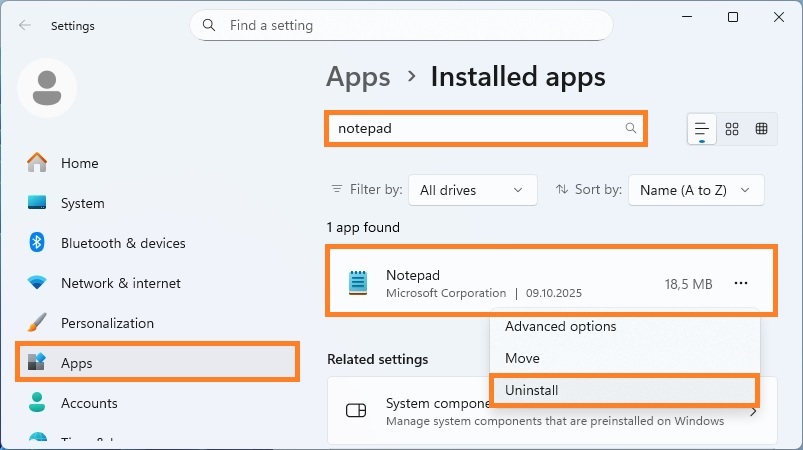
To install classic Notepad in Windows 11


To print text files in the background, installation of classic Notepad application (Notepad (system) optional feature) is required. The modern Windows Notepad application (Microsoft.WindowsNotepad AppX Package) installed in Windows 11 by default does not do this job properly and should be removed.
To install classic Notepad application in Windows 11 and Windows Server 2025
1. Right-click the Start button, and then click Settings.
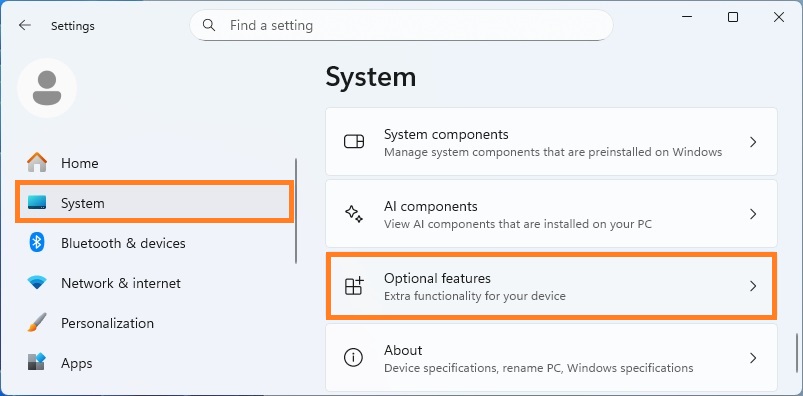
2. In the Settings window click System, and then click Optional features.
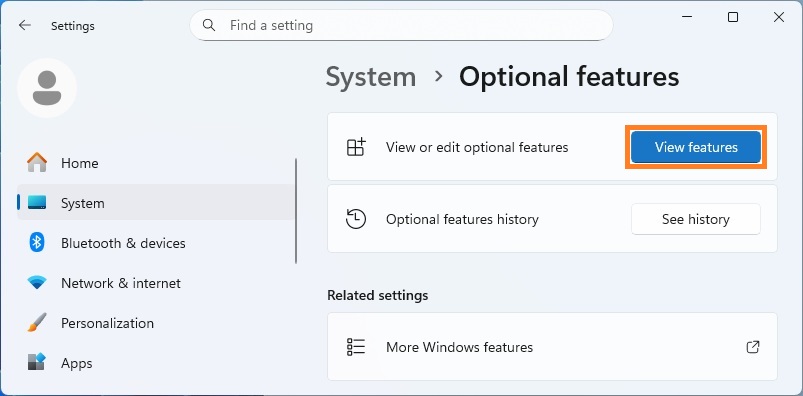
3. On the Optional features page, click View features button.
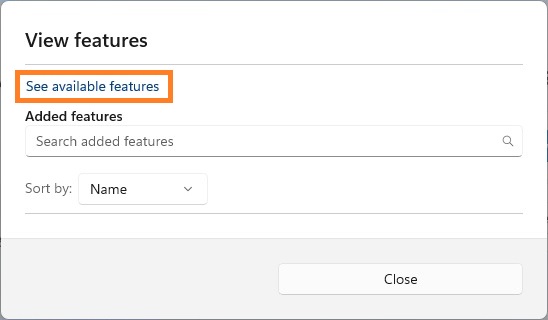
4. In the View features window, click See available features.
5. Type notepad in the search bar. Find and select Notepad (system) from the list, and then click Add button.
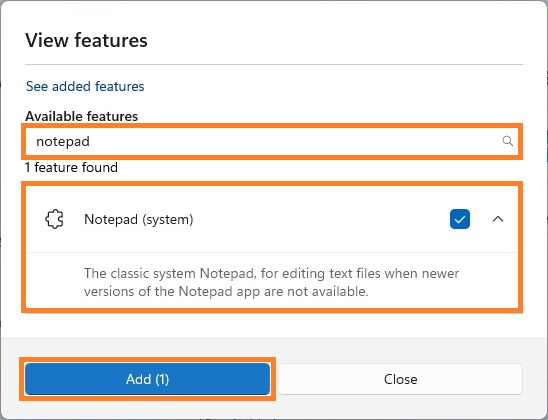
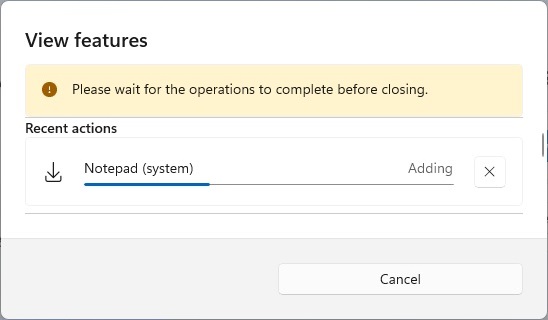
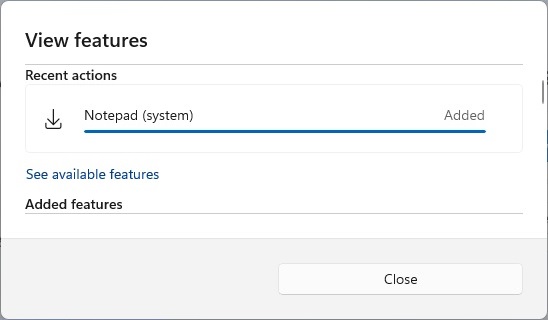
6. Wait for the installation to complete (which may take a few minutes).
To remove modern Windows Notepad application in Windows 11
1. Right-click the Start button, and then click Installed apps.
2. In the Installed apps window, type notepad in the search bar.
3. Find Notepad in the list, click the three dots next to it, and then select Uninstall.