To install Windows Fax and Scan on Windows 10 computer (early versions)


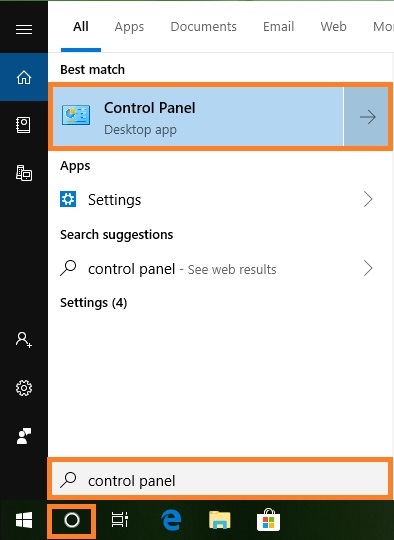
1. Switch to Search pane, type control panel, and then click Control Panel.
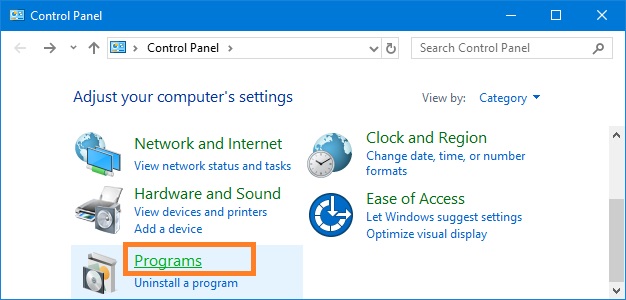
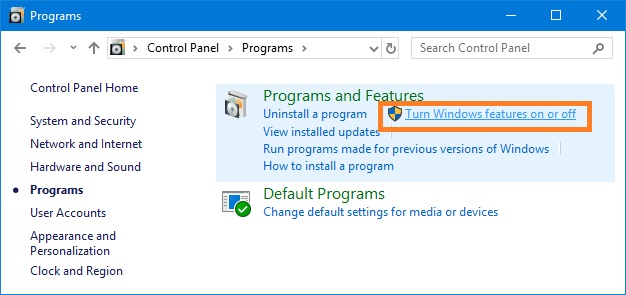
2. In the Control Panel click Programs, and then click Turn Windows features on or off.
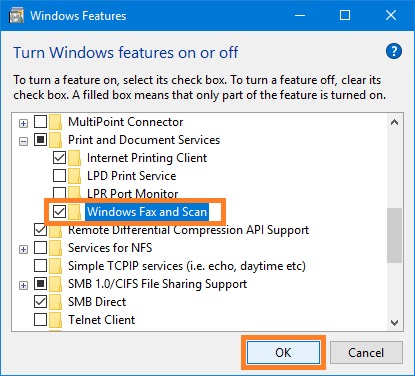
3. In the Windows features dialog box select Windows Fax and Scan, and then click OK.
Notes