To install Windows Fax and Scan on Windows 11 computer


1. Right-click the Start button, and then click Settings.
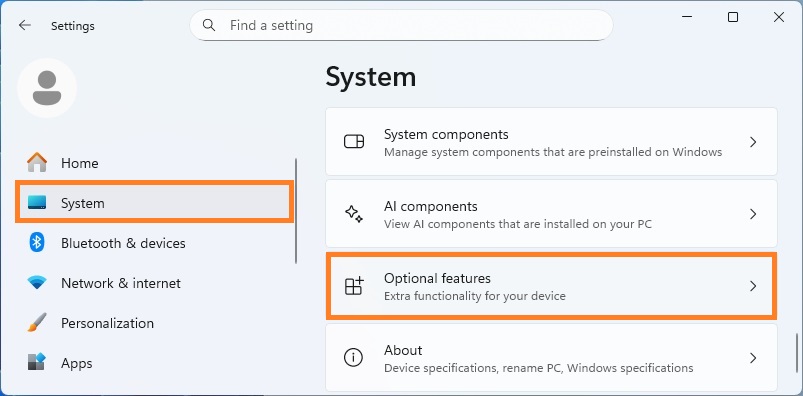
2. In the Settings window click System, and then click Optional features.
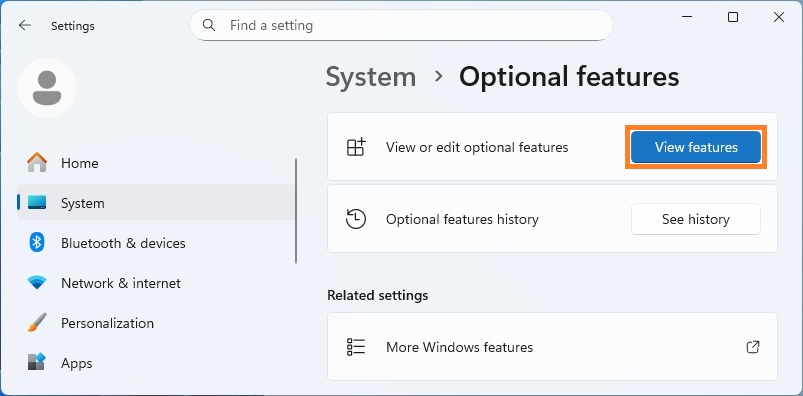
3. On the Optional features page, click View features button.
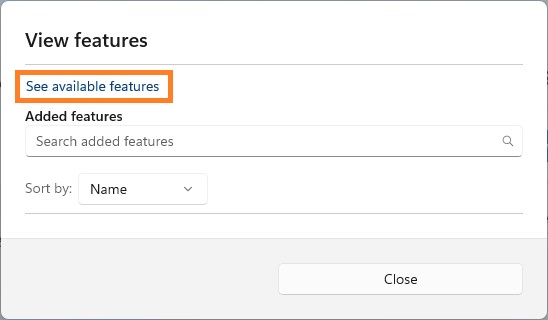
4. In the View features window, click See available features.
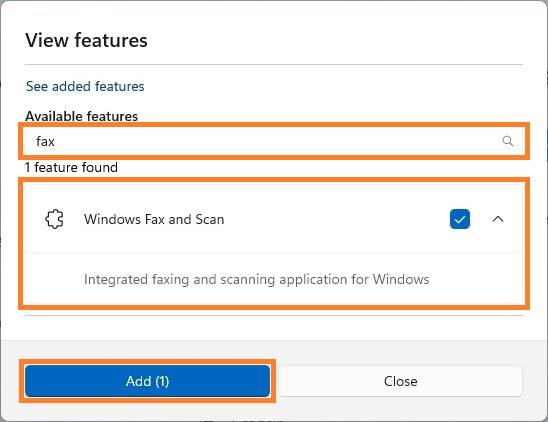
5. Type fax in the search bar. Find and select Windows Fax and Scan from the list, and then click Add button.
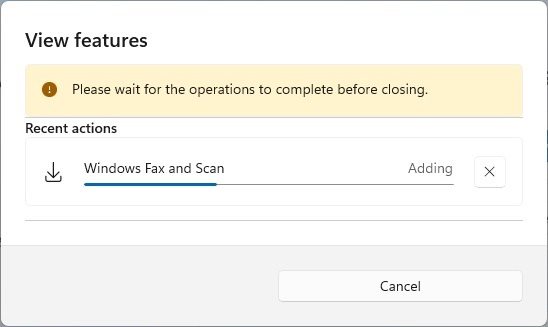
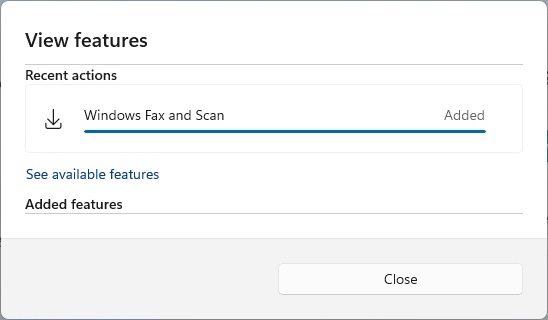
6. Wait for the installation to complete (which may take a few minutes).
Notes